
An email marketing virtual assistant can independently manage list segmentation, campaign scheduling, A/B testing, deliverability monitoring, and performance reporting across platforms like Klaviyo, Mailchimp, and ActiveCampaign. This shifts email operations from a founder-led bottleneck to a systemized, revenue-generating channel. The right assistant reduces campaign turnaround time while improving open rates, click-through rates, and list health.


If your inbox campaigns are still built at midnight between client calls, you are not alone-and you are also leaving revenue on the table. Email consistently outperforms most other digital channels on ROI, yet it is often the first task founders neglect because it eats hours they do not have. Delegating email marketing virtual assistant tasks to a trained virtual marketing assistant gives you back that time while keeping campaigns consistent, compliant, and data-driven.
This guide breaks down exactly which tasks you can hand off, how a modern assistant structures the work, and what mistakes to watch for before you delegate.
What Does an Email Marketing Virtual Assistant Actually Do?
An email marketing virtual assistant handles the operational and tactical work behind your email program-everything except final strategic sign-off. Think of them as the person who turns your campaign calendar into sent, tracked, and optimized emails without you touching a single toggle in your ESP (email service provider).
In short, they own execution so you can own strategy.

16 Email Marketing Virtual Assistant Tasks You Can Delegate Today
1. List Management and Hygiene
A clean list is the foundation of every deliverable inbox. Your assistant can:
- Remove hard bounces and inactive subscribers on a set schedule
- Merge duplicate contacts across sign-up sources
- Tag subscribers by acquisition channel, purchase behavior, or engagement level
- Re-permission cold segments before a major sunset campaign
Because list hygiene is ongoing rather than a one-time project, it is one of the easiest email marketing virtual assistant tasks to hand off permanently.
2. Audience Segmentation
Instead of blasting one message to everyone, a virtual assistant builds segments based on purchase history, location, engagement score, or lifecycle stage. This is where most of the click-through-rate lift actually comes from, and it is highly repeatable once the rules are documented.
3. Email Copywriting and Drafting
Many assistants draft subject lines, preview text, and body copy from a brief or brand voice guide, leaving you to approve rather than write from scratch. This alone can save several hours per week for teams sending multiple campaigns.
4. Template Design and Coding
Building and maintaining responsive templates in Klaviyo, Mailchimp, or HubSpot-including brand-consistent headers, footers, and CTA blocks-is a task assistants can own end-to-end once a style guide exists.
5. Campaign Scheduling and Deployment
Setting send times based on time-zone data and historical engagement windows, then queuing campaigns for approval, is a purely operational task that does not require your involvement beyond a final check.
6. A/B and Multivariate Testing
An assistant can set up subject line tests, sender name tests, or CTA button tests, then report which variant won and why. Over time, this builds an internal playbook of what actually moves your audience.
7. Automation and Drip Sequence Setup
Welcome series, abandoned cart flows, post-purchase sequences, and win-back campaigns all require initial build-out and periodic refinement. This is one of the highest-leverage tasks to delegate because automations run continuously in the background.
8. Deliverability Monitoring
Tracking sender reputation, spam complaint rates, and inbox placement across major providers is tedious but critical. An assistant flags issues before they tank your entire domain reputation.
9. Preference Center and Unsubscribe Management
Keeping preference centers updated and processing unsubscribe requests promptly protects compliance and subscriber trust simultaneously.
10. Newsletter Curation and Scheduling
For brands running recurring newsletters, an assistant can source content, format the layout, and schedule sends on a fixed cadence without weekly hand-holding.
11. Campaign QA and Link Testing
Before any send, every link, merge tag, and rendering check across Gmail, Outlook, and mobile clients needs verification. This single step prevents the most common (and most embarrassing) email mistakes.
12. Lead Magnet and Opt-In Funnel Setup
Building the automated sequence that delivers a lead magnet and nurtures a new subscriber toward a first purchase is a task well-suited to a trained assistant working from a documented funnel map.
13. Compliance Checks (CAN-SPAM, GDPR, CASL)
Confirming physical address inclusion, unsubscribe visibility, and consent records keeps your program compliant across jurisdictions-an area where an experienced assistant adds real risk protection.
14. Performance Reporting and Analytics
Pulling open rate, click-through rate, conversion rate, and revenue-per-email into a recurring dashboard or report is one of the most valuable email marketing virtual assistant tasks because it turns raw data into decisions.
15. Competitor and Industry Benchmarking
Signing up for competitor lists, tracking their send cadence and offers, and summarizing trends gives you strategic context without eating your own time.
16. CRM and ESP Integration Maintenance
Ensuring your email platform stays properly synced with your CRM-so segments, tags, and purchase data flow correctly-is ongoing technical upkeep an assistant can monitor weekly.


Quick-Reference Table: Email Tasks by Delegation Priority
| Task Category | Example Tasks | Delegation Priority | Typical Time Saved/Week |
|---|---|---|---|
| List Management | Cleaning, tagging, merging | High | 2-3 hours |
| Campaign Execution | Copywriting, scheduling, QA | High | 4-6 hours |
| Automation | Drip flows, welcome series | Medium | 3-5 hours (one-time build) |
| Reporting | Dashboards, KPI summaries | High | 1-2 hours |
| Compliance | CAN-SPAM/GDPR checks | Medium | 1 hour |
In-House vs. Virtual Assistant: Which Handles Email Marketing Better?
| Factor | In-House Marketing Hire | Email Marketing Virtual Assistant |
|---|---|---|
| Cost | Salary + benefits, higher fixed cost | Pay for hours or retainer used |
| Onboarding Time | Weeks to months | Days, especially with AI-trained assistants |
| Platform Expertise | Varies by hire | Typically cross-trained across Klaviyo, Mailchimp, HubSpot |
| Scalability | Requires new hires to scale | Hours scale up or down with workload |
| Availability | Fixed office hours | Often flexible, cross-time-zone coverage |
Common Mistakes Businesses Make When Delegating Email Marketing
- Handing over access without a style guide. Without brand voice and design standards, output quality varies wildly.
- Skipping the QA step before every send. Even experienced assistants need a documented pre-send checklist.
- Treating list hygiene as optional. A neglected list quietly damages deliverability over months.
- Not defining segmentation rules up front. Vague instructions lead to generic, low-performing sends.
- Ignoring compliance until there’s a complaint. Reactive compliance is far costlier than proactive checks.

Expert Tips for Delegating Email Marketing Successfully
- Start with a documented SOP (standard operating procedure) for your most repetitive campaign type.
- Give your assistant read access to historical performance data before their first send.
- Set a weekly reporting cadence so performance stays visible without extra meetings.
- Review your automation flows quarterly, even after delegation-strategy still needs an owner.
- Pair a WordPress-savvy assistant with your email assistant when campaigns link back to landing pages, so updates stay synchronized.
Step-by-Step: Onboarding an Email Marketing Virtual Assistant
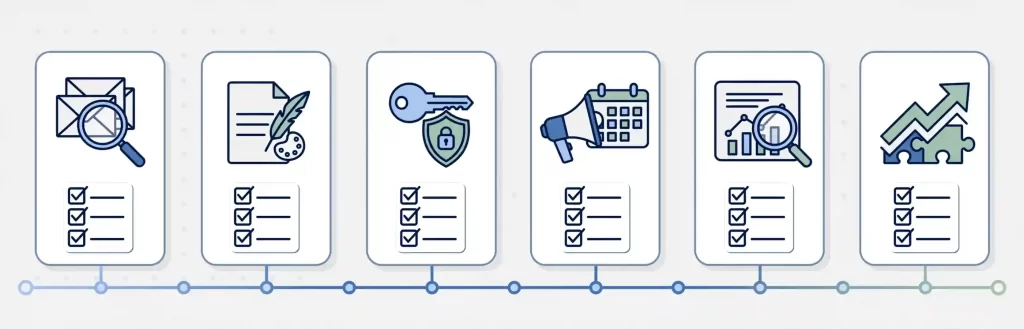
- Audit your current email stack. Document your ESP, list size, and active automations.
- Write a one-page brand and tone brief. Include subject line style, CTA language, and visual guidelines.
- Grant scoped platform access. Use role-based permissions rather than full admin access initially.
- Assign a two-week trial campaign. Start with a low-risk send, like a newsletter, before automations.
- Review the first report together. Align on what metrics matter most for your business.
- Expand scope gradually. Move from single campaigns to full calendar ownership as trust builds.
This mirrors how most virtual marketing assistants handle a full day of tasks once onboarding is complete-structured, checklist-driven, and reported on weekly.
Frequently Asked Questions
What email marketing virtual assistant tasks should I delegate first?
Start with list hygiene and campaign QA-both are low-risk, high-impact tasks that free up time immediately without touching strategy.
Can a virtual assistant manage email automation, not just single campaigns?
Yes. Trained assistants regularly build and maintain welcome series, abandoned cart flows, and win-back sequences once the initial logic is documented.
Which email platforms do virtual assistants typically know?
Most experienced assistants are cross-trained on Klaviyo, Mailchimp, ActiveCampaign, and HubSpot, though platform depth varies by individual.
How do I make sure delegated emails still sound like my brand?
Provide a one-page brand voice and tone brief before the first campaign, and review the first two to three sends closely before expanding scope.
Is it safe to give a virtual assistant access to my email list?
Yes, when access is role-based and scoped rather than full admin, and when the assistant follows documented compliance checks for CAN-SPAM and GDPR.
How much time does delegating email marketing actually save?
Businesses commonly report saving 8-12 hours per week once list management, campaign execution, and reporting are fully handed off.
Final Thoughts

Email remains one of the highest-ROI channels available, but only when it is run consistently-and consistency is exactly what founder-led email marketing struggles with. Delegating these 16 tasks to a trained assistant does not mean losing control of your strategy; it means finally having the bandwidth to focus on it. For related delegation ideas, see this breakdown of SEO tasks you can hand off to a virtual assistant and this guide on social media virtual assistant tasks week by week.
Ready to stop building campaigns at midnight? Book a free consultation with Yrano’s virtual marketing assistants and get your email program off your plate this month.
Pingback: Real Estate Virtual Marketing Assistant: Monthly Pipeline