
WordPress virtual assistant tasks cover everything from plugin updates and content uploads to on-page SEO and site security monitoring. Delegating these 22 recurring tasks frees founders and marketers from the WordPress backend so they can focus on strategy instead of maintenance. If you have ever lost an afternoon updating plugins or formatting a blog post, this guide breaks down exactly what to hand off, and to whom.

Running a WordPress site well is not a one-time job; it is a stack of small, repeatable tasks that pile up week after week. Consequently, many business owners end up doing digital housekeeping instead of the revenue-generating work that actually moves their business forward. A trained virtual marketing assistant can absorb almost all of it, provided you know which tasks are safe, valuable, and easy to hand off first.
Below, we outline 22 concrete WordPress virtual assistant tasks organized into content, technical maintenance, SEO, security, and reporting categories. Each one includes what “done well” looks like, so you can brief your assistant clearly and check the work with confidence.
Quick Answer: What WordPress Tasks Can a Virtual Assistant Handle?

A skilled virtual assistant can manage nearly the entire operational side of WordPress, including:
- Publishing and formatting blog posts
- Installing, updating, and testing plugins and themes
- Performing on-page SEO (meta titles, alt text, internal links)
- Running backups and basic security checks
- Managing forms, comments, and media libraries
- Monitoring site speed and broken links
- Compiling monthly performance reports
The only tasks that typically stay in-house are strategic decisions, such as choosing which keywords to target long term or approving major design changes.
Why Delegate WordPress Tasks in the First Place?
Before diving into the list, it is worth addressing the obvious question: why not just do it yourself? Because time spent inside wp-admin is time not spent on sales calls, product development, or client work. Additionally, WordPress maintenance is repetitive by nature, which makes it an ideal fit for delegation rather than founder attention.
According to WordPress.org’s own usage statistics, WordPress now powers a significant share of all websites globally, which also means outdated plugins, unpatched vulnerabilities, and poor on-page SEO are extremely common failure points. A dedicated assistant catches these issues before they become expensive problems.
There is also a straightforward cost argument. If a founder’s time is worth a meaningful hourly rate in sales or client delivery, then spending that same hour updating a plugin or resizing an image is a poor trade. A trained assistant typically costs a fraction of that rate, which means every hour of WordPress work you hand off is effectively a discount on your own time. Over a year, that gap compounds into dozens of reclaimed hours that can go toward outreach, product development, or simply avoiding burnout.
Furthermore, WordPress problems rarely stay small. A single missed plugin update can leave a site vulnerable for months; a handful of unoptimized meta descriptions can quietly suppress click-through rates for an entire content library. Because these issues are cumulative, the businesses that benefit most from delegation are often the ones that have been putting it off the longest.

Signs You Are Overdue to Delegate
A few warning signs tend to show up before business owners finally hand off WordPress work:
- Blog posts sit in draft for weeks because formatting and publishing feel like a chore.
- Plugin update notifications pile up in the dashboard, ignored for months at a time.
- Nobody can say with confidence when the last backup completed successfully.
- Meta titles and descriptions were never filled in, or were auto-generated by default.
- Broken links or outdated screenshots exist on pages nobody has revisited in over a year.
If two or more of these sound familiar, that is a strong signal to start delegating rather than continuing to manage everything solo.
22 WordPress Virtual Assistant Tasks, Organized by Category
Content Publishing Tasks
1. Uploading and Formatting Blog Posts

Your assistant takes a finished draft, formats it with proper headings, breaks up long paragraphs, adds bullet points, and schedules it for publishing. This alone can reclaim hours each week if you currently paste raw text into the editor yourself.
2. Adding Featured Images and Media

Sourcing, resizing, and compressing featured images, then attaching them with correct dimensions, is a small but constant task. An assistant who understands your brand’s visual style can keep every post looking consistent, a workflow we cover in more depth in our task breakdown of a typical virtual marketing assistant’s day.
3. Writing and Optimizing Image Alt Text

Every image needs descriptive, keyword-relevant alt text for both accessibility and SEO. This is tedious in bulk but simple to delegate with a clear style guide.
4. Formatting for Rank Math or Yoast SEO

Filling in the focus keyword, SEO title, meta description, and readability checks inside your SEO plugin is one of the most valuable WordPress virtual assistant tasks because it directly affects search visibility.
5. Internal Linking Between Posts

An assistant who knows your site’s content library can add contextual internal links to older, relevant articles, strengthening your site architecture without you lifting a finger.
6. Managing the Content Calendar

Scheduling drafts, tracking due dates, and nudging writers or editors keeps your publishing cadence consistent, even during busy weeks.
7. Updating Old Blog Posts
Refreshing outdated statistics, broken links, and stale screenshots on older posts is a high-ROI task that rarely gets prioritized without dedicated help. Because search engines reward freshness signals, a quarterly refresh cycle on your top-performing posts can lift rankings without requiring a single new article. Our guide on delegating your entire blog to a virtual marketing assistant covers this workflow in detail.

7a. Repurposing Content Across Formats
Turning a long blog post into a short LinkedIn summary, a newsletter excerpt, or a set of social captions extends the life of content you have already paid to produce. An assistant familiar with your voice can handle this repurposing without needing a fresh brief every time.
Technical Maintenance Tasks
8. Installing and Updating Plugins

Keeping plugins current reduces security risk and compatibility issues. An assistant can test updates on a staging site first, so nothing breaks on the live site. A good workflow includes updating one plugin at a time, checking the front end after each update, and keeping a simple changelog of what was updated and when.
9. Updating WordPress Core and Themes

Similar to plugin updates, core and theme updates should happen on a schedule, not reactively after something goes wrong. Major version updates in particular deserve a staging test first, since theme compatibility issues tend to surface here more than anywhere else.
10. Running Regular Backups

Automated backups still need someone to confirm they actually completed and are stored correctly, whether that is via a plugin or your hosting provider’s dashboard. A responsible assistant will also periodically test that a backup can actually be restored, since a backup that fails silently offers no real protection.
11. Monitoring Site Speed

Running your site through tools like Google PageSpeed Insights, then implementing basic fixes such as image compression or caching plugin configuration, keeps load times competitive. Because page speed is also a ranking factor, this task sits at the intersection of technical maintenance and SEO, making it a natural fit for a well-rounded virtual assistant.
12. Checking for Broken Links

Broken internal and outbound links hurt both user experience and SEO. A monthly link audit, using a plugin or a free crawler tool, is an easy, recurring task for a virtual assistant, and the fixes themselves are usually a matter of minutes once broken links are identified.
13. Managing Forms and Submissions

Reviewing contact form submissions, filtering spam, and routing leads to the right inbox or CRM keeps your funnel moving without manual checking.
14. Moderating Comments

Approving genuine comments and deleting spam maintains community trust and keeps your comment sections useful rather than cluttered.
SEO and Growth Tasks
15. Keyword Research for Upcoming Content

While final strategy usually stays with you, an assistant can compile keyword lists, search volume, and competitor content gaps to speed up planning. For a deeper breakdown, see SEO tasks you can delegate to a virtual assistant.
16. Optimizing Page Titles and Meta Descriptions

Auditing existing pages for missing or weak metadata, then rewriting them with target keywords, is one of the fastest ways to lift click-through rates from search results.
17. Building and Submitting XML Sitemaps

Ensuring your sitemap is current and submitted to Google Search Console helps new content get indexed faster.
18. Setting Up Redirects for Deleted or Moved Pages

Whenever a page is removed or a URL changes, a 301 redirect prevents lost traffic and broken bookmarks. This is a small task that is easy to forget without a dedicated owner.
Security and Reliability Tasks
19. Managing User Roles and Permissions

Auditing who has admin access, removing former employees or contractors, and setting appropriate permission levels reduces your security exposure.
20. Running Malware and Vulnerability Scans

Scheduling and reviewing results from a security plugin catches issues before they escalate into a compromised site.
Reporting and Analytics Tasks
21. Compiling Monthly Traffic and SEO Reports

Pulling data from Google Analytics and Search Console into a clear monthly summary keeps you informed without requiring you to log in and dig through dashboards yourself.
22. Tracking Keyword Rankings

Monitoring how your target keywords move over time, using tools like Google Search Console or a rank tracker, helps you see whether your content strategy is working.
Comparison Table: WordPress Tasks by Delegation Difficulty
| Task Category | Example Tasks | Delegation Difficulty | Time Saved Per Month |
|---|---|---|---|
| Content Publishing | Formatting posts, alt text, internal links | Easy | 8-12 hours |
| Technical Maintenance | Plugin updates, backups, speed checks | Easy to Moderate | 5-8 hours |
| SEO Optimization | Metadata, keyword research, sitemaps | Moderate | 6-10 hours |
| Security | Vulnerability scans, user role audits | Moderate | 2-4 hours |
| Reporting | Traffic reports, rank tracking | Easy | 3-5 hours |
How WordPress Virtual Assistant Tasks Compare to Other VA Specialties
| Factor | WordPress VA | General Admin VA | Social Media VA |
|---|---|---|---|
| Core Focus | Website upkeep, SEO, publishing | Scheduling, email, admin work | Content calendars, posting, engagement |
| Technical Skill Needed | Moderate to high | Low | Low to moderate |
| Direct SEO Impact | High | Minimal | Moderate |
| Best Paired With | Content and SEO strategy | Any business operations | Marketing and brand teams |
If you are weighing multiple assistant types, our breakdown of social media virtual marketing assistant tasks week by week offers a useful side-by-side comparison for teams building out a full marketing bench.
Common Mistakes When Delegating WordPress Tasks
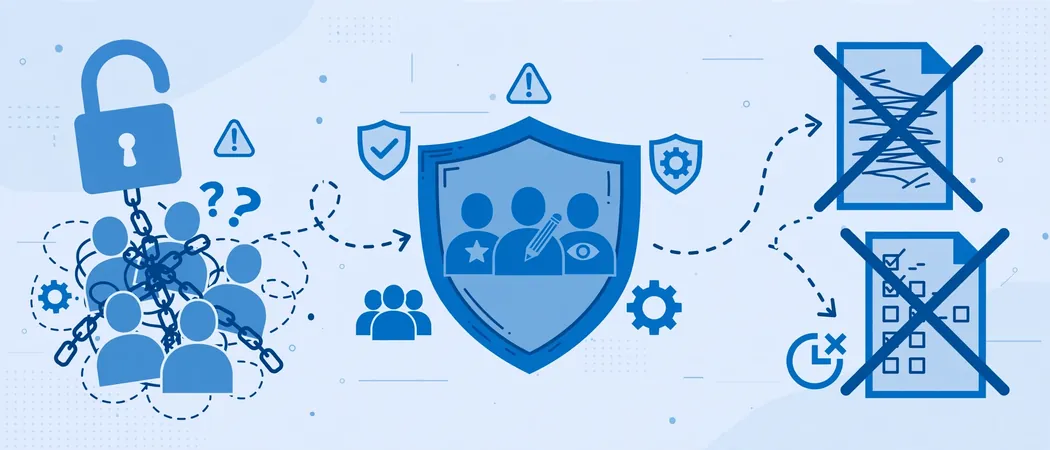
- Handing over admin access without a permissions plan. Start assistants on editor-level roles and expand access only as trust builds.
- Skipping documentation. Without a style guide or SOP, formatting and SEO quality will vary from post to post.
- Delegating strategy instead of execution. Keyword targeting and content direction should stay with you; execution should not.
- Ignoring backups before big changes. Always confirm a recent backup exists before plugin or theme updates.
- Not reviewing early work closely. The first few weeks matter most for catching gaps in understanding your brand voice or technical setup.
Expert Tips for Getting the Most From a WordPress Virtual Assistant
- Create a shared style guide covering tone, formatting, and image sizing before assigning content tasks.
- Use a staging environment for plugin and theme updates so nothing breaks on the live site.
- Set a recurring weekly check-in, even a short one, to review completed tasks and flag anything unclear.
- Start with lower-risk tasks like formatting and alt text before moving into security or user management.
- Document login credentials and permissions in a secure password manager, not a spreadsheet.
Step-by-Step: Onboarding a Virtual Assistant to Your WordPress Site
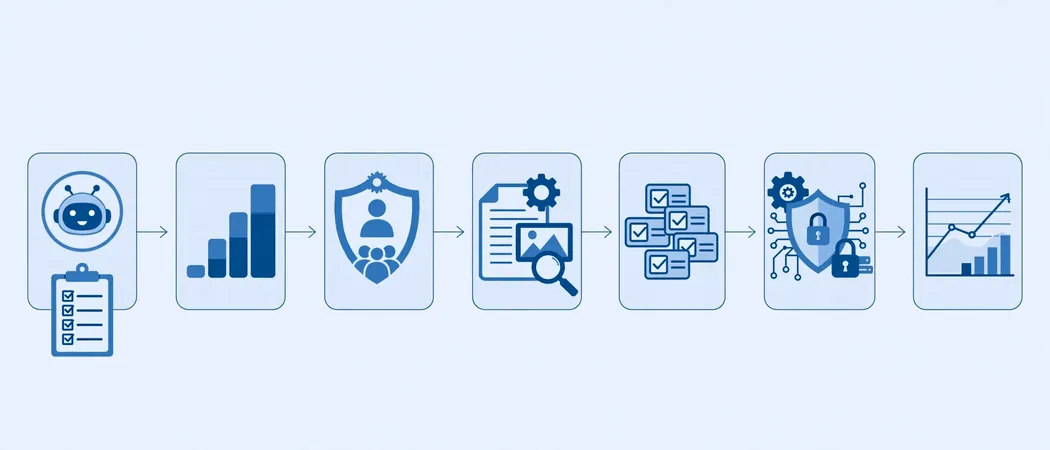
- Audit your current workload. List every recurring WordPress task you currently handle yourself.
- Rank tasks by risk and complexity. Start delegation with the easiest, lowest-risk items first.
- Create role-based access. Grant editor access initially, not full admin rights.
- Document your standards. Write a short SOP for formatting, SEO fields, and image handling.
- Assign a trial batch. Hand off 3-5 tasks in week one and review the output closely.
- Expand gradually. Add technical and security tasks once content tasks are consistently strong.
- Set a reporting rhythm. Agree on a weekly or monthly report format so progress stays visible.
Frequently Asked Questions
What are the most important WordPress virtual assistant tasks to delegate first?
Start with low-risk, high-frequency tasks such as blog formatting, image optimization, and metadata entry. These build trust before moving into technical or security-related work.
Can a virtual assistant manage WordPress security?
Yes, within limits. A virtual assistant can run scheduled scans, monitor for suspicious activity, and manage user permissions, but major security incidents should still involve a developer or your hosting provider.
How much WordPress experience should a virtual assistant have?
Look for familiarity with the WordPress dashboard, a major SEO plugin like Rank Math or Yoast, and basic page builder tools. Deep development skills are not required for most WordPress virtual assistant tasks.
Is it safe to give a virtual assistant admin access to WordPress?
Not immediately. Start with editor-level access and expand permissions gradually as the working relationship proves reliable.
How many hours per week does WordPress maintenance typically take?
This varies by site size and posting frequency, but most small to mid-sized business sites require roughly five to fifteen hours per month once you combine content, technical, and SEO tasks.
Tools That Make Delegation Easier
Handing off WordPress virtual assistant tasks works best when your assistant has the right tools in place from day one. A few categories worth standardizing on:
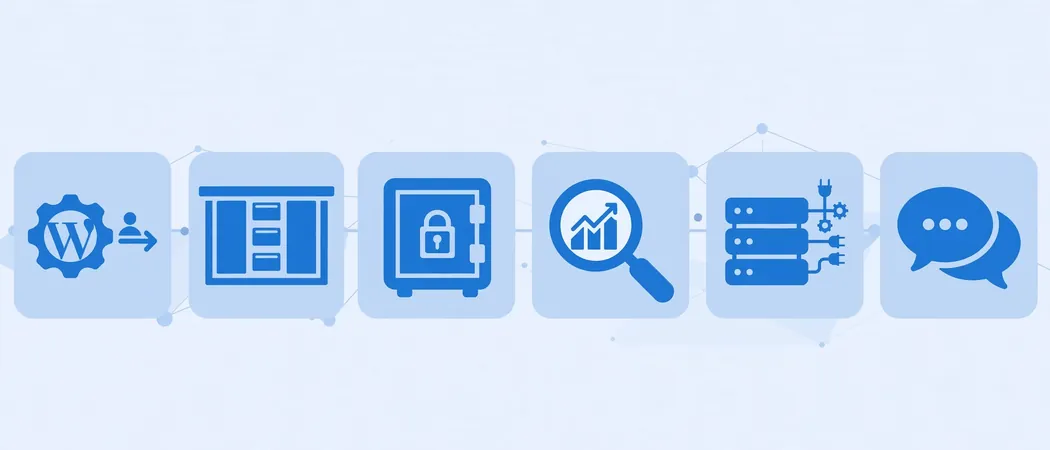
- Project management: A shared board (Trello, Asana, or ClickUp) so tasks, deadlines, and priorities are visible to both sides.
- Password management: A tool like 1Password or Bitwarden for sharing logins securely, instead of email or chat.
- SEO plugin: Rank Math or Yoast SEO, so on-page optimization has a consistent, checkable structure.
- Staging environment: Many hosting providers include one-click staging, which lets your assistant test updates safely.
- Communication: A dedicated Slack channel or recurring call keeps questions from piling up unanswered.
Standardizing on these tools before delegation begins removes a lot of the early friction that otherwise makes business owners hesitant to hand off control.
How to Decide Between Hiring In-House, Freelance, or an Agency-Backed Virtual Assistant
Not all virtual assistant arrangements are the same, and the right fit depends on your budget, workload, and how much oversight you want to provide.
- In-house hire: Best for larger sites with daily publishing needs, but comes with the highest fixed cost and management overhead.
- Independent freelancer: More flexible and often lower cost, though quality and availability can vary between individuals.
- Agency-backed virtual assistant: Typically offers built-in training, backup coverage if someone is out, and a documented process, which reduces the risk of a single point of failure.
For most small to mid-sized businesses juggling content, SEO, and technical upkeep at once, an agency-backed model tends to strike the best balance between cost and reliability, since it avoids the hiring, training, and turnover risk that comes with managing a solo freelancer or a full in-house role.
Conclusion

WordPress virtual assistant tasks span far more than simple data entry; done well, they cover content publishing, technical upkeep, SEO, security, and reporting in a way that keeps your site healthy without consuming your own time. Start small, document your standards, and expand responsibilities as trust builds. If you are ready to stop managing WordPress yourself, explore how a trained virtual marketing assistant from Yrano can take this off your plate entirely.
Pingback: Email Marketing Virtual Assistant Tasks: 16 to Delegate